Reporch LMS
Review the Q&A queue
Review open classroom question counts and recent question threads.
Overview
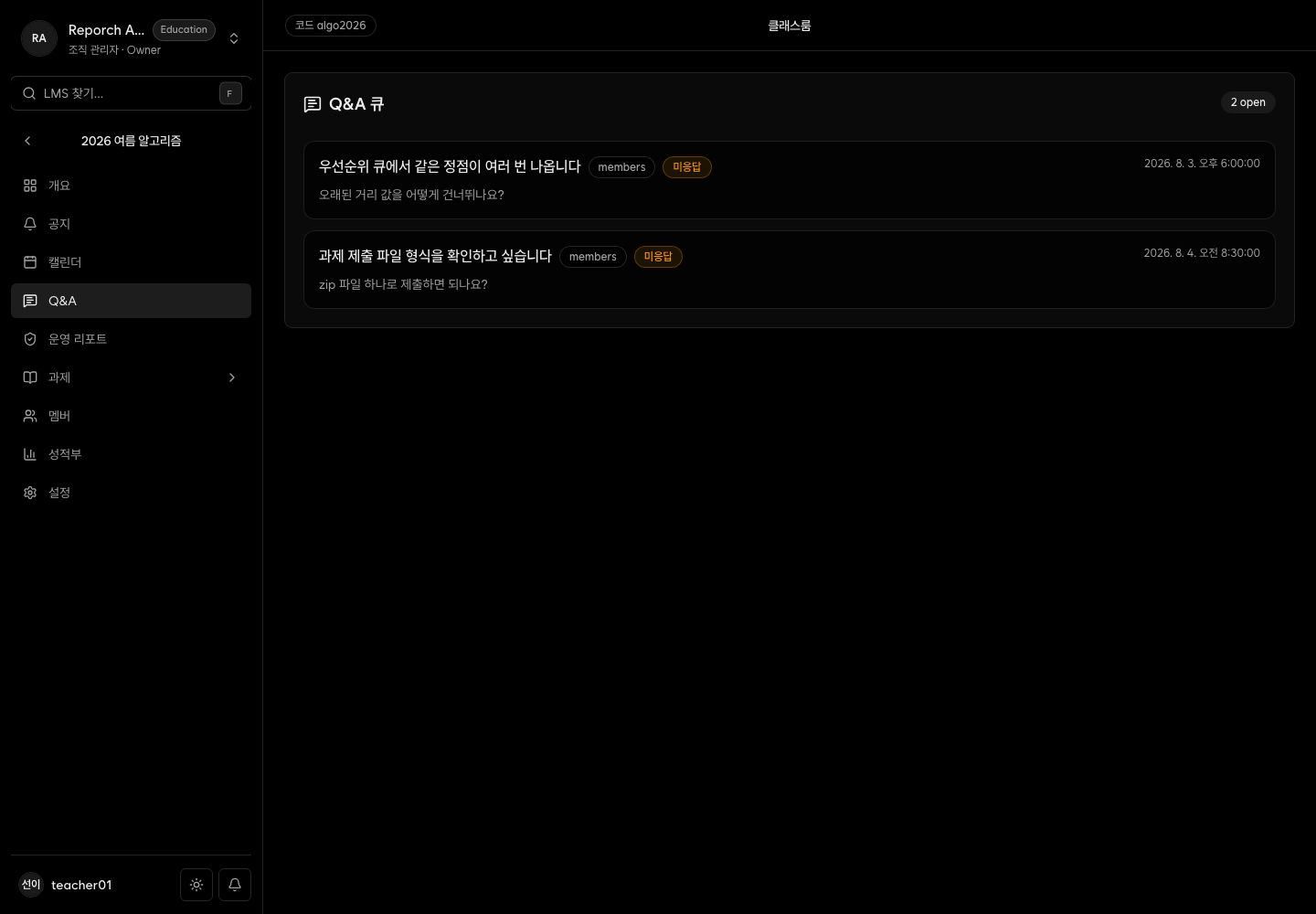
Admin Q&A requests up to 20 open threads and presents them as a queue with the total open count, title, author, and recent activity. The current page does not expose reply or status-change controls.
Before you start
- Admin, instructor, or TA access
- Open questions created for the classroom
- The organization's response process for questions
Steps
1. Open Q&A
Select Q&A and review the open count and visible threads.
2. Prioritize questions
Use title, author, and activity time to identify long-waiting or broadly impactful questions.
3. Inspect related content
Check the source assignment or announcement. Consider clarifying a shared instruction when a question affects many learners.
4. Apply the current workflow
This page focuses on queue review. If no reply or close action is visible, use the organization's designated support channel.
Expected result
- Open count and recent threads can be reviewed.
- Repeated questions can be connected to assignments and announcements.
- Operators understand the current page's read-only interaction boundary.
Troubleshooting
- No questions: There may be no open threads, or loading may still be in progress.
- Only some threads: The current request displays at most 20 open threads.
- No reply action: The current page does not expose reply or status controls.
- Count exceeds visible items: Total open count can exceed the display limit.