Reporch LMS
Get started as an LMS admin
Understand organization-admin, instructor, and TA permissions in the LMS console.
Overview
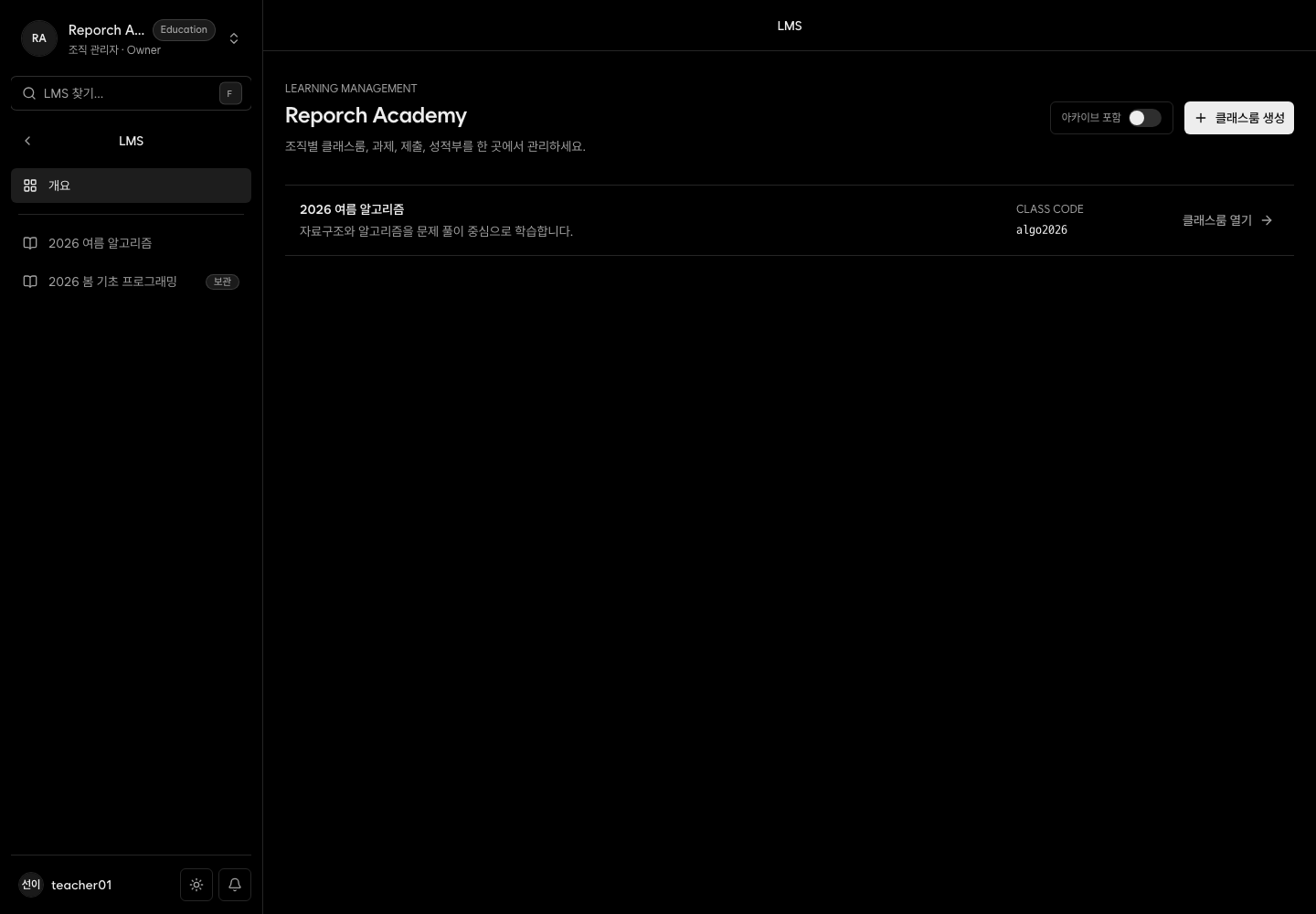
The admin LMS creates and operates organization classrooms. Organization owners and admins can create and archive classrooms. Active classroom instructors and TAs can manage content and membership for their assigned classrooms.
Before you start
- A Reporch account in the organization
- Owner/admin or classroom instructor/TA access
- Owner/admin access for classroom creation and archiving
Steps
1. Open the admin LMS
Go to Organization Admin → LMS and inspect accessible classrooms and status.
2. Select a classroom
Its navigation includes Overview, Announcements, Calendar, Q&A, Operations Report, Assignments, Members, Gradebook, and Settings.
3. Configure members first
Add organization members as learners, instructors, or TAs and set active status before publishing content.
4. Publish deliberately
Draft announcements and assignments, then verify availability, deadline, visibility, and type in the learner surface.
Expected result
- The console exposes only authorized classrooms and actions.
- Members, announcements, schedules, assignments, and results stay scoped to one classroom.
- Draft and visibility controls prevent premature learner access.
Troubleshooting
- No LMS or create action: Check for organization owner/admin access.
- Cannot edit an accessible class: Verify an active instructor/TA assignment.
- Learners see no content: Check membership, publication status, and visibility. Assignment availability controls submission timing.
- Summary counts differ: Compare the snapshot with its underlying lists.