Reporch LMS
Manage classroom members
Assign organization members as learners, instructors, or TAs and manage status.
Overview
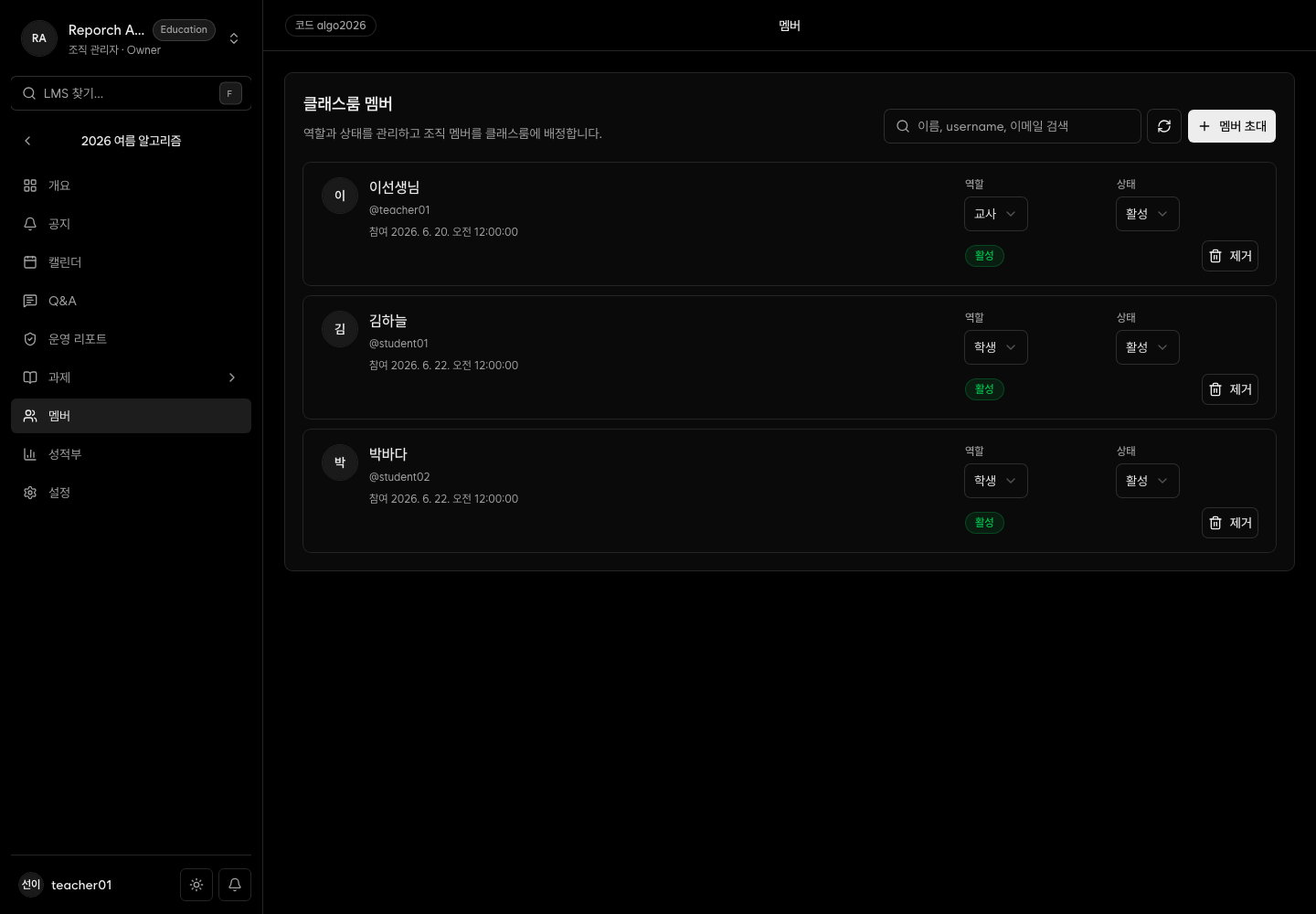
Members assigns users who already belong to the organization. Roles are learner, instructor, and TA. Status can be active, pending, or suspended. Operators can change role or status and remove a user from this classroom.
Before you start
- Each user already belongs to the organization.
- The current account can manage the classroom.
- Decide role and initial status for each user.
Steps
1. Review and search members
Open Members and search by name or email. The list prioritizes active, then pending and suspended entries.
2. Add organization members
Select Add members, choose users not already assigned, and set their role and status.
3. Adjust access
Learners use the learner portal. Active instructors and TAs can manage the classroom. Set status to active only when access should begin.
4. Remove an incorrect assignment
Verify the user's email before confirming removal. This removes classroom membership, not organization membership.
Expected result
- Selected users appear with the chosen role and status.
- Active learners can open the class on the organization host.
- Active instructors and TAs can manage classroom content.
Troubleshooting
- User not found: Confirm organization membership and whether they are already assigned.
- Learner cannot open class: Check role, active status, email, and learner host.
- Instructor cannot edit: Confirm instructor/TA role and active status.
- Pending or suspended user blocked: This is expected; activate access when appropriate.