Reporch LMS
Check the calendar
Review assignment availability, due dates, late deadlines, and class events by date.
Overview
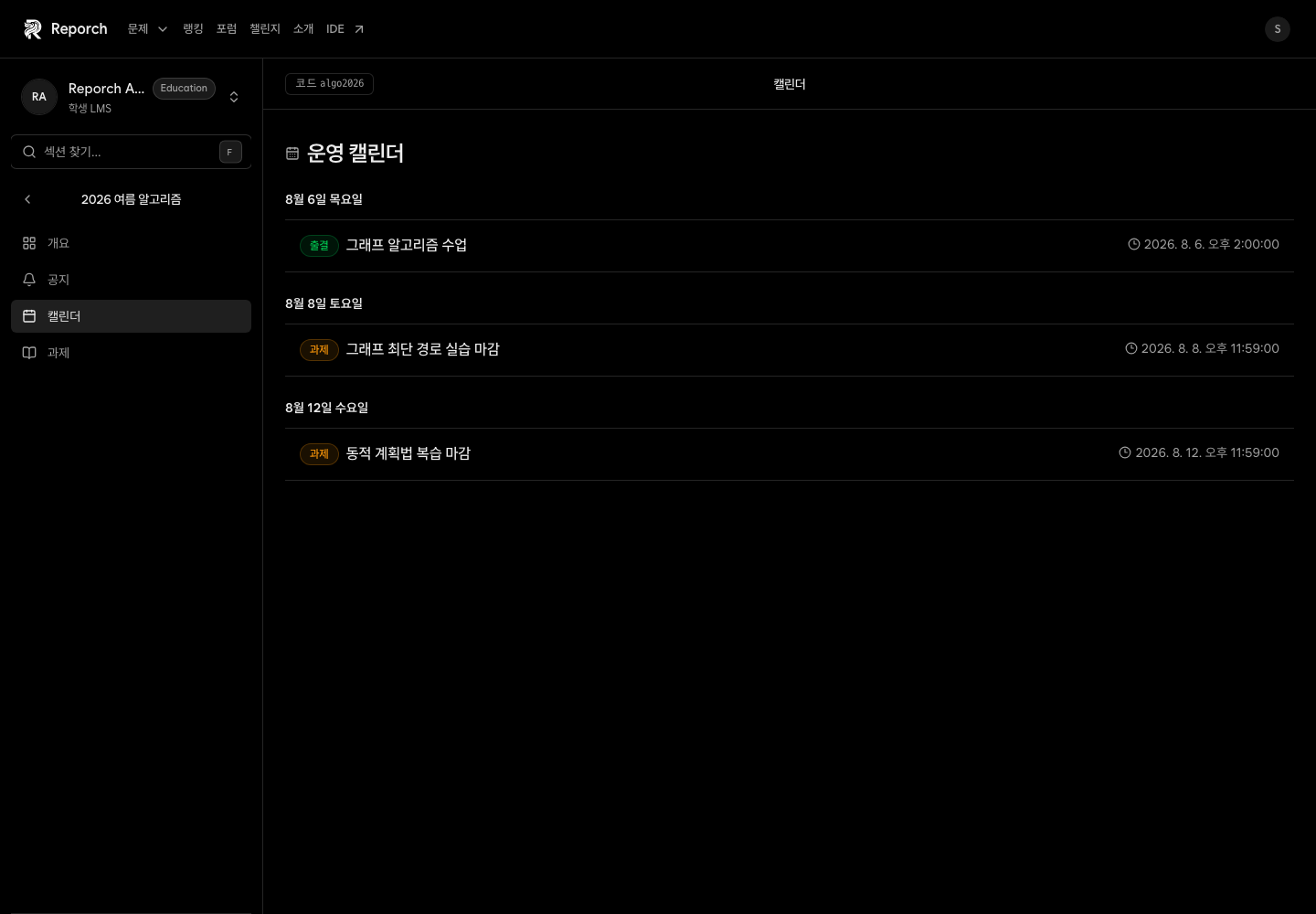
Calendar is a read-only, date-grouped view of classroom events. It can include assignment availability, due and late-due events, plus class session events.
Before you start
- Access to the classroom
- An assignment or event with schedule data
- Correct date, time, and timezone settings on your device
Steps
1. Open Calendar
Select Calendar in the classroom navigation. Events are grouped under their date.
2. Identify the event type
Distinguish assignment availability, regular due time, late due time, and class events from their labels.
3. Read the exact time
Check hours and minutes, not only the date. Compare assignment events with the times on Assignment detail.
4. Verify on the assignment
Open Assignments and confirm availability, due time, and late-submission rules before submitting.
Expected result
- Class events can be reviewed by date.
- Normal and late deadlines are not confused.
- Assignment detail remains the final check before submission.
Troubleshooting
- No upcoming events: No assignment or class event may be scheduled.
- Time differs: Refresh and verify the device timezone and assignment detail.
- Cannot add an event: The current learner calendar is read-only.
- Only past events: Confirm the classroom and published assignment status.