Reporch LMS
Review the admin calendar
Audit assignment and classroom schedule events by date.
Overview
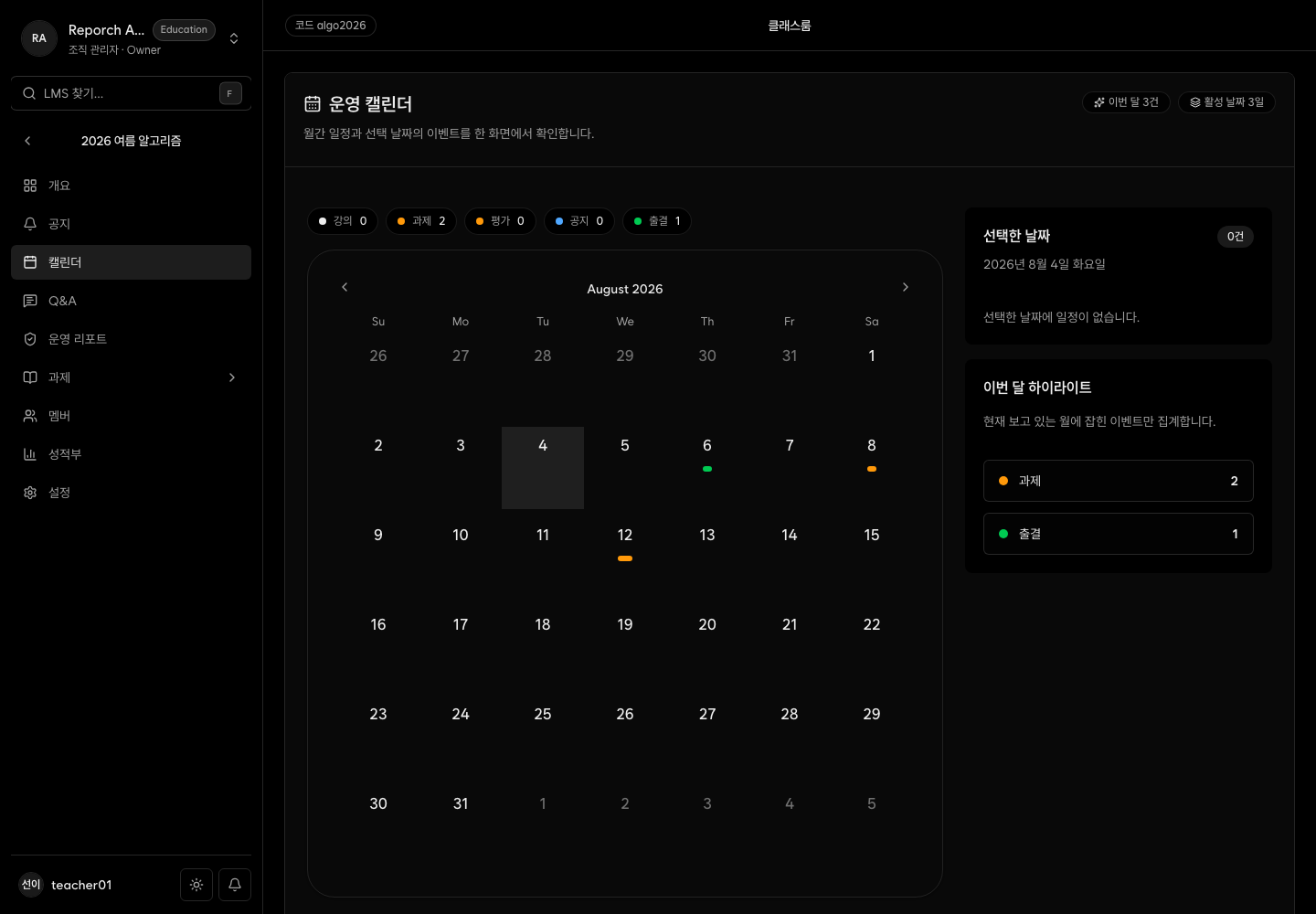
The admin calendar aggregates classroom events and assignment availability, due, and late-due times by date. The current page is read-only and does not include a create-event action.
Before you start
- Admin classroom access
- Assignments with schedule data
- The timezone used for classroom operations
Steps
1. Open Calendar
Select Calendar and inspect the date-grouped events.
2. Distinguish event types
Identify availability, regular due time, late due time, and class session events. Look for crowded dates.
3. Edit the source
If an assignment event is wrong, edit that assignment's schedule. Calendar itself is not an editor.
4. Verify as a learner
Confirm that the learner calendar and assignment detail show the same date and time.
Expected result
- Important classroom dates are audited together.
- Conflicts and missing deadlines are found before publication.
- Admin and learner schedule displays agree.
Troubleshooting
- No events: Check assignment schedule values and status.
- Cannot edit: The current calendar is read-only; edit the assignment.
- Learner view differs: Check visibility, status, availability, and membership.
- Time differs: Verify browser and organization timezone assumptions.