Reporch
Solve your first problem
Choose a problem in the browser, then read its requirements, limits, and examples accurately.
Overview
The problem browser searches by number, title, or description and combines categories, tags, tier, and solution status. List view makes many problems easy to compare; card view gives each problem more room.
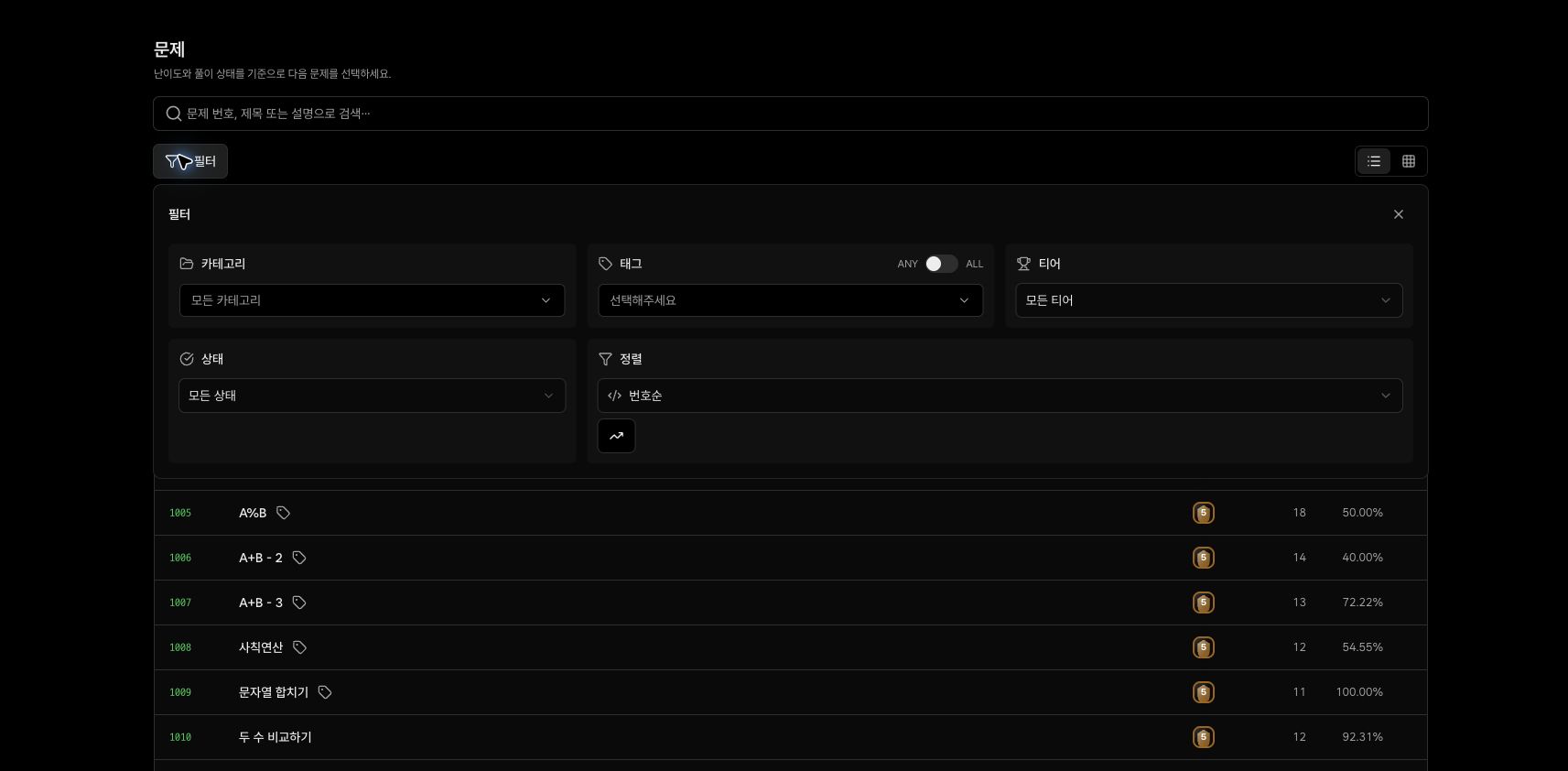
Information in the list
- Number and title: Identifies the problem for later search or sharing.
- Difficulty: The relative tier assigned to the problem.
- Solved: The number of users who solved it.
- Acceptance rate: The percentage of all submissions judged correct.
- Status: Not attempted, attempted, or solved for the signed-in account.
Before you start
- Clear the query and filters in the problem browser.
- Sign in if you want to save and run the solution.
- Know how to read stdin and write stdout in your selected language.
Steps
1. Search by number
Enter 1000 in the search field at reporch.com/problems/. Confirm that the result title is A+B, then select its row.
2. Check the limits
Under the number and title, review solved count, acceptance rate, time limit, and memory limit. The current page for problem 1000 shows 2000ms and 256MB.
3. Restate the task
Write one sentence describing what the program receives and produces. A+B reads two integers, A and B, and prints their sum.
4. Read input and output formats
Check the number of lines, value ranges, and separators. Output only the requested value without extra explanatory text.
5. Trace the example
Example input 1 2 must produce 3. Use Copy beside the example to preserve spaces and line breaks when pasting it into stdin.
6. Prepare the editor
Confirm the file and language on the right, such as Main.py and Python 3. The starter text is only a placeholder and must be replaced with a solution.
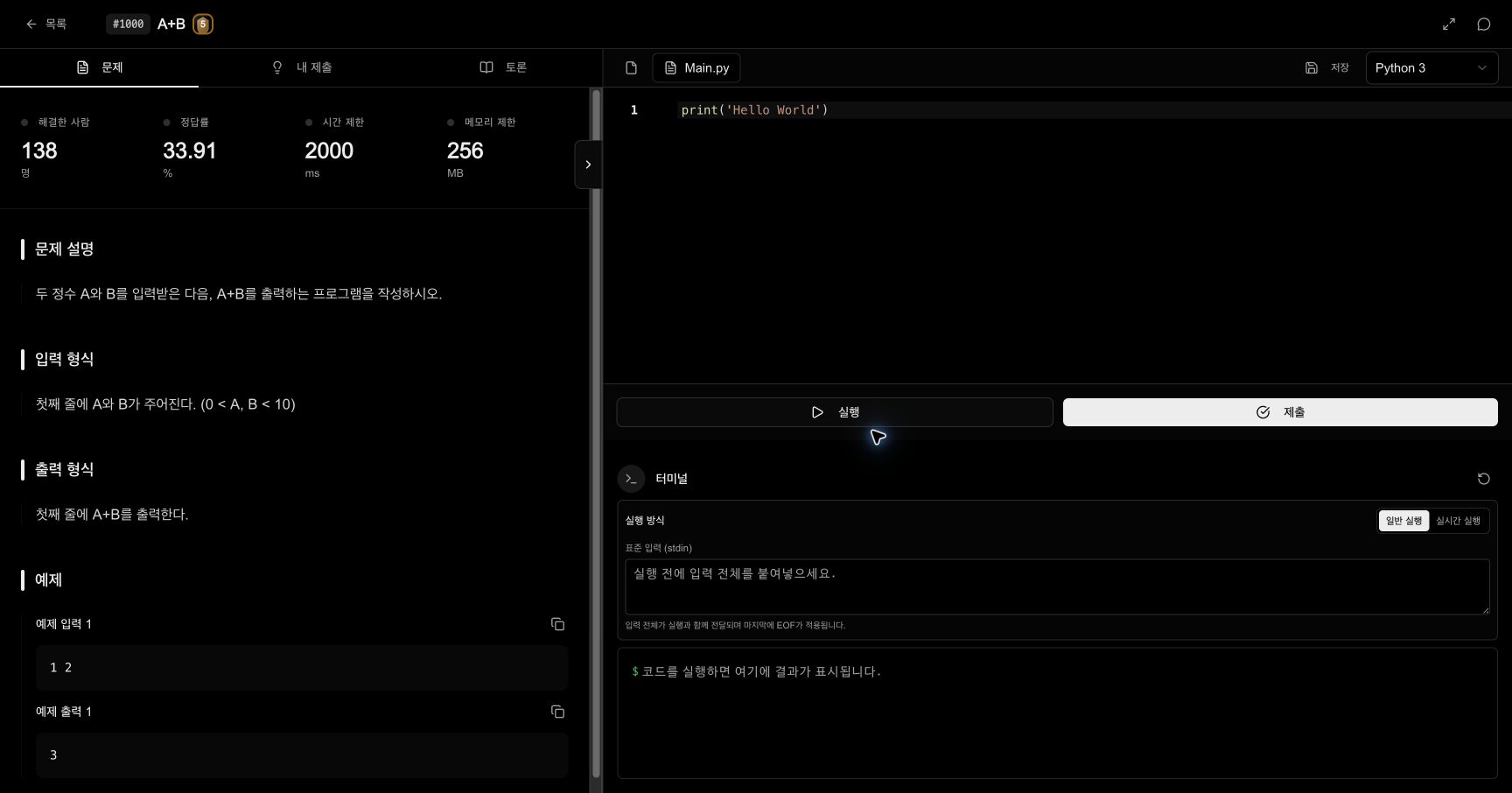
Problem page map
- Left tabs: Problem, My Submissions, and Discussion
- Top right: current file, save state, and runtime language
- Center right: editor with Run and Submit
- Bottom right: normal or live run, stdin, and terminal output
- Top-right chat icon: AI Tutor grounded in the current problem
Expected result
- Problem
1000displays its statement, input and output formats, and example. - The right editor shows a file corresponding to the selected runtime.
- You are ready to copy example input into stdin and replace starter text with a solution.
Troubleshooting
- Problem is missing: Clear both the query and all filters, then search only by number.
- ALL tag matching returns nothing: Switch tag matching from
ALLtoANY. - Statement is visible but work is not saved: Confirm that you are signed in and check the editor save state.
- Output differs from the example: Remove labels, quotes, or extra spaces that the output format does not request.