Reporch
Get started with AI Tutor
Ask for hints, error explanations, and a next step grounded in the current problem and source code.
Overview
AI Tutor is an assistant grounded in the problem currently open in Reporch. Include the problem, your source, and the actual error to receive a more specific hint. Its response is not a judge result, so validate every suggested change by running and submitting code yourself.
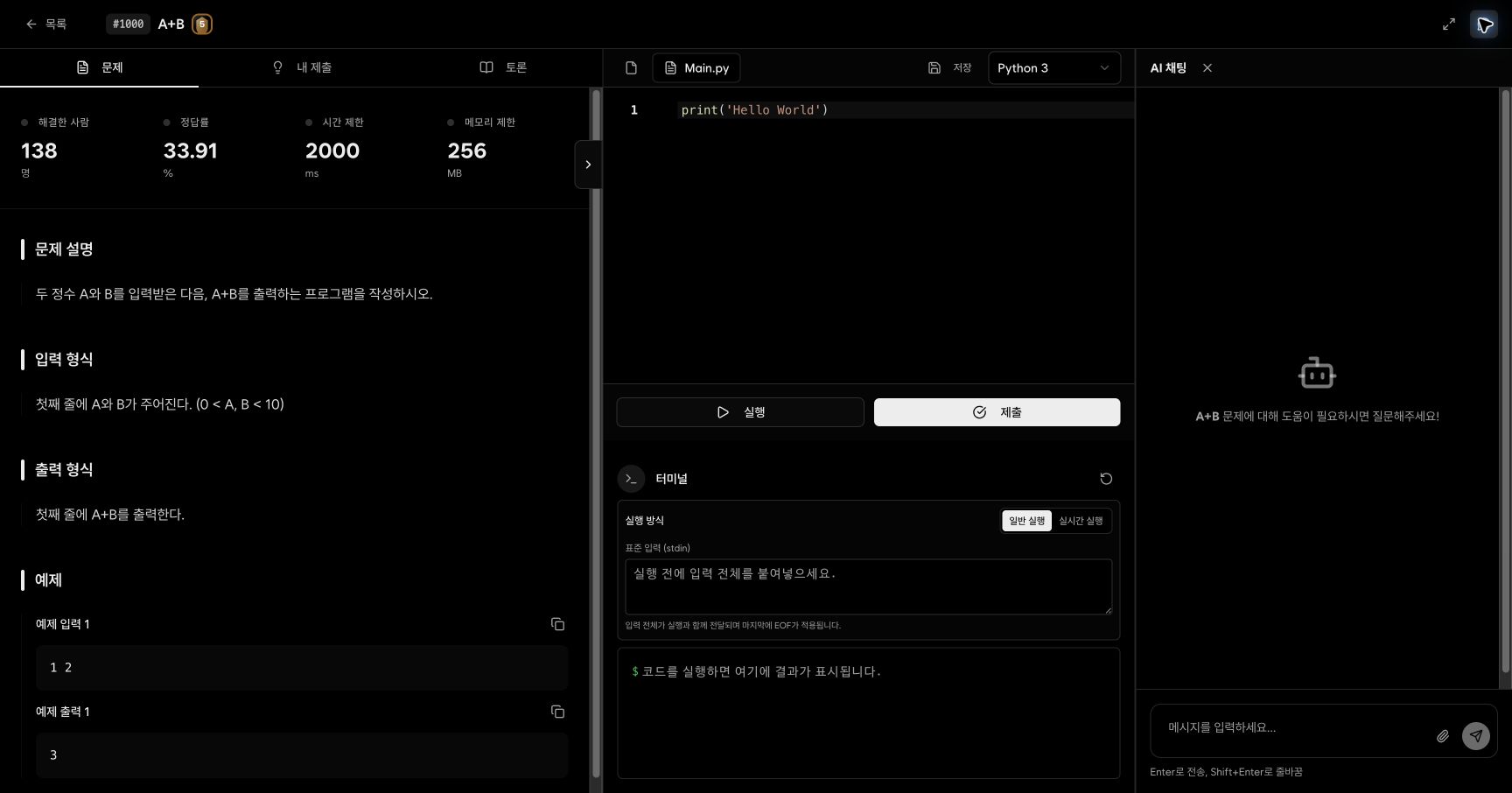
Before you start
- Open the problem and confirm the current language and source.
- Prepare a reproducing input, actual output, and the first error line.
- Do not send a complete prohibited answer, secrets, or material you are not allowed to share.
Steps
1. Open the problem first
Navigate to the problem you want to discuss. AI Tutor uses the current problem as context, so finish the current exchange before switching problems.
2. Open AI chat
Select the chat icon at the top right of the problem page. Confirm that the panel title is AI Chat and that the current problem appears.
3. Write a question
Enter the question in the message field. Enter sends; Shift+Enter inserts a line break. The send action remains disabled for an empty message.
4. Attach only necessary material
Use the attachment action when a file is essential to the question. Never attach passwords, API keys, personal information, or answer material you are not permitted to share.
Ask a useful question
Include the situation, what you tried, the actual outcome, and the type of help you want.
Problem: A+B (#1000)
Language: Python 3
Attempt: I used input().split() to read two values.
Actual result: ValueError occurs.
Help wanted: Explain only what is wrong with the input handling, not the complete solution.
Useful requests include:
- Ask whether an input constraint implies a missed edge case.
- Ask what the first compiler diagnostic means.
- Ask to compare the algorithm's complexity with the maximum input size.
- Ask for one next step or one counterexample instead of a full answer.
Validate the response
1. Check the assumptions
Compare AI Tutor's description of the problem with the actual input and output requirements.
2. Apply one small change
Avoid copying a complete response. Make one explained change at a time so you can identify what affected the result.
3. Run examples and boundaries
Use Normal Run with the provided examples and your own boundary cases. Prefer compiler and terminal output over the AI explanation.
4. Ask a follow-up with new evidence
If the result differs, include the changed code and new error in the next message.
Expected result
- The panel shows the current problem and keeps questions and responses in the same conversation.
- You can reproduce a suggested change with Normal Run and compare it with the prior result.
- Final decisions rely on actual run and submission results, not AI wording alone.
Troubleshooting
- Send is disabled: Enter message text first.
- The response is generic: Add problem number, language, input, actual output, and the first error line.
- The panel covers the editor: Select the close action at the top right of AI Chat.
- AI temporarily fails: Preserve your source and continue using Run or Submit, then retry later.