Reporch
Create an account
Choose a username, then create a Reporch account with GitHub, Google, Kakao, or email.
Overview
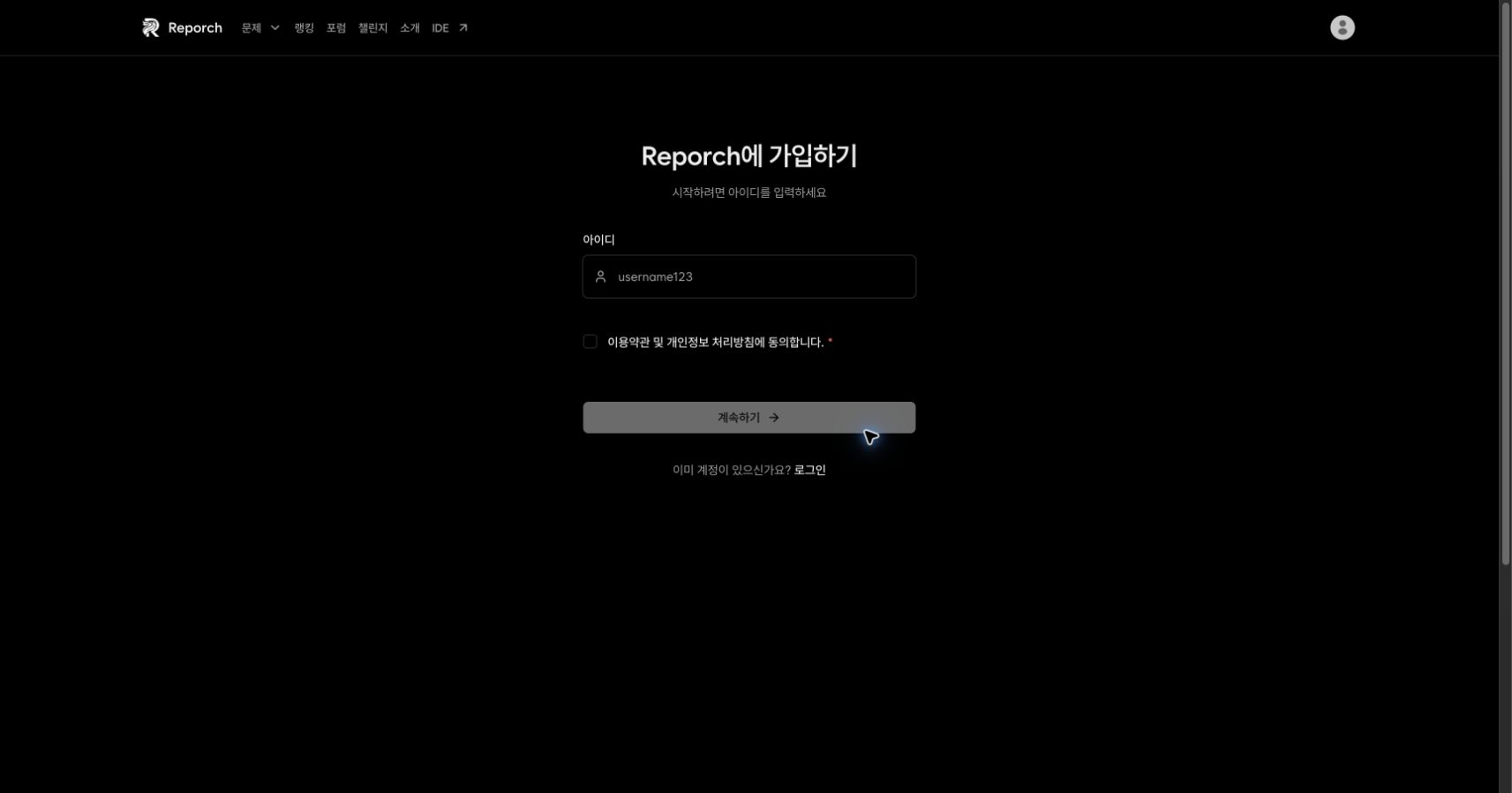
Reporch asks you to choose a username before connecting an authentication method. The first screen requests a username and acceptance of the required terms—not an email address or password.
Username rules
- 4 to 20 characters
- Uppercase or lowercase English letters, numbers, underscore (
_), and hyphen (-) - No Korean characters or spaces
- Must not already be in use
Reporch may suggest an available alternative when the requested name is taken. Use a name you intend to keep because it appears with your profile and learning records.
Before you start
- Prepare a Reporch username you intend to keep.
- Choose GitHub, Google, Kakao, or an accessible email address for authentication.
- On a shared device, verify which social account is active in the browser.
Steps
1. Open sign-up
Select Sign up in the navigation or open reporch.com/auth/signup/.
2. Enter a username
Enter the desired value and wait for both the local rule check and server availability check to finish.
3. Review the terms
Open the Terms of Service and Privacy Policy, then select the required agreement. Continue is enabled only after both the username and agreement requirements pass.
4. Choose authentication
On the next screen, choose GitHub, Google, Kakao, or email. Social sign-up opens that provider's sign-in and approval flow. Email sign-up asks for an email address, phone number, and password.
5. Complete email sign-up
Provide a valid email and phone number, create a password with at least 8 characters, and enter the same password again. Submit the form, then complete the verification sent to the email address.
6. Complete social sign-up
Check the provider account and requested access shown in the browser, approve it, and return to Reporch. Verify that the account menu is displayed.
Expected result
- The account menu replaces the sign-in and sign-up actions on the Reporch home page.
- Signed-in features such as run, submit, and AI Tutor are available on a problem page.
- Your chosen username appears in profile or settings surfaces.
Troubleshooting
- Continue is disabled: Check the 4–20 character rule, allowed characters, availability result, and required agreement.
- Verification email does not arrive: Check spam and confirm the address was entered correctly.
- Social approval does not return to Reporch: Allow the authentication redirect or popup, then return to the original Reporch tab.
- Account already exists: Do not create another account repeatedly. Try signing in with the email or social identity instead.