Reporch
Get started with Reporch
Find a problem, run code, submit it, and review the result of your first submission.
Overview
Reporch connects problem discovery, problem statements, a code editor, a run terminal, submission history, and AI Tutor in one workflow. You can browse problems and read their statements without signing in. Sign in to save work, run or submit code, and use AI features.
Before you start
- A current version of Chrome, Safari, Edge, or Firefox
- A Reporch account for runs and submission history
- Basic knowledge of how to read input and print output in your chosen language
Steps
1. Sign in
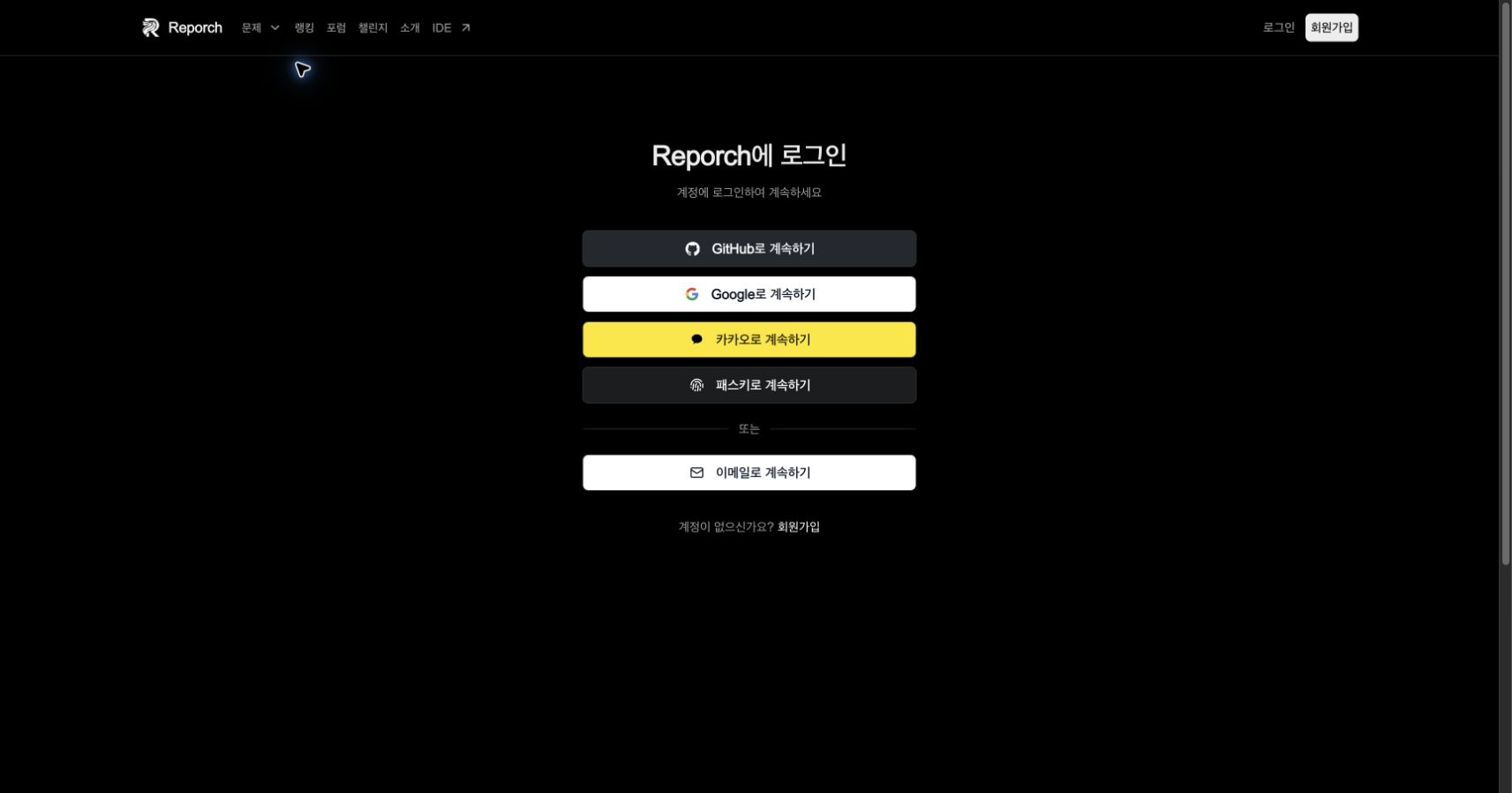
Open reporch.com/auth/login/ and sign in. If you do not have an account, select Sign up, choose a username, and connect an authentication method first.
2. Open the problem browser
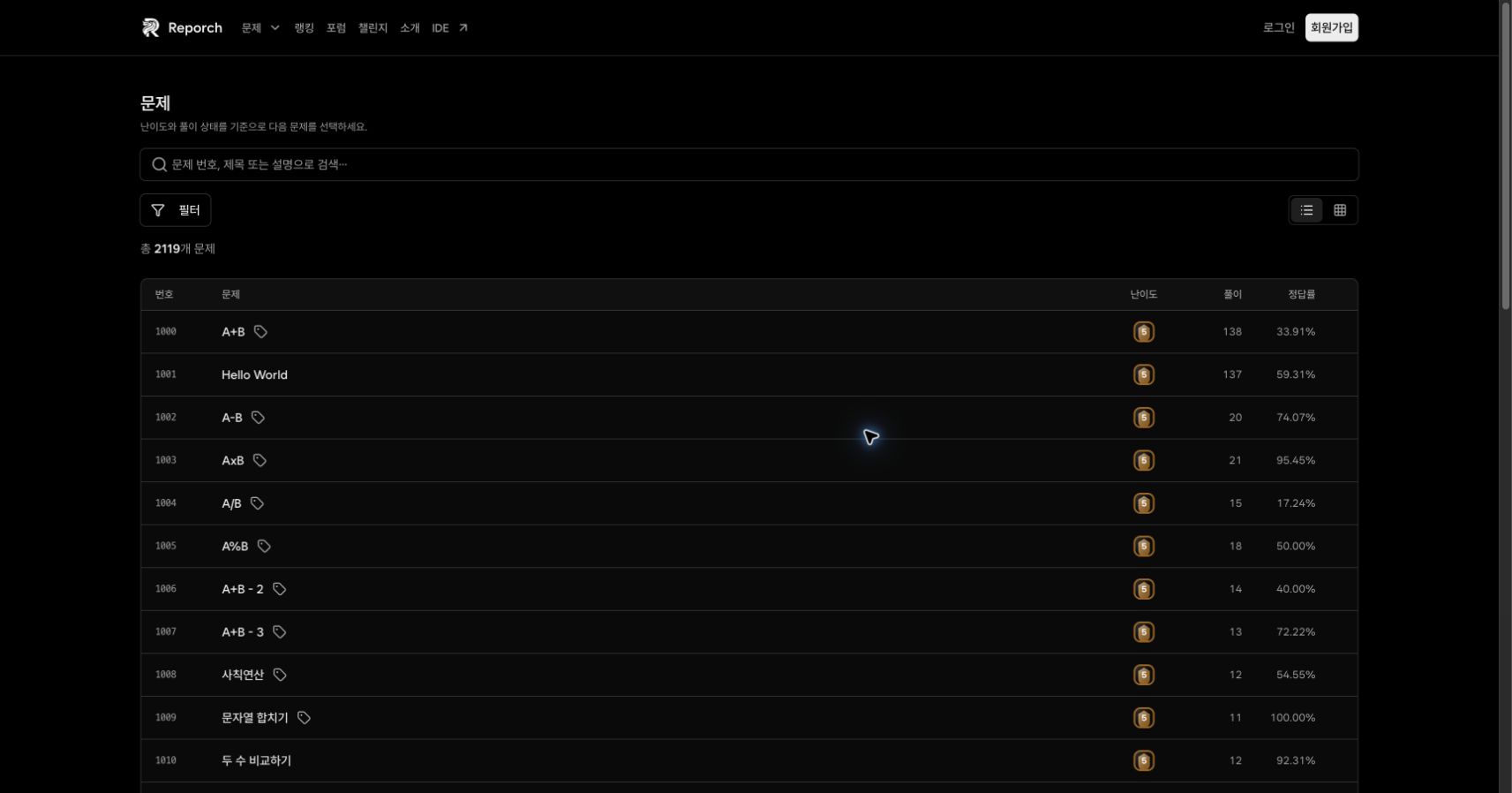
Select Problems in the top navigation or open reporch.com/problems/. Search by problem number, title, or text from the description.
3. Narrow the list
Open Filter to choose categories, tag matching, tier, solution status, and sorting. For your first run, clear all filters and search for 1000.
4. Read the requirements
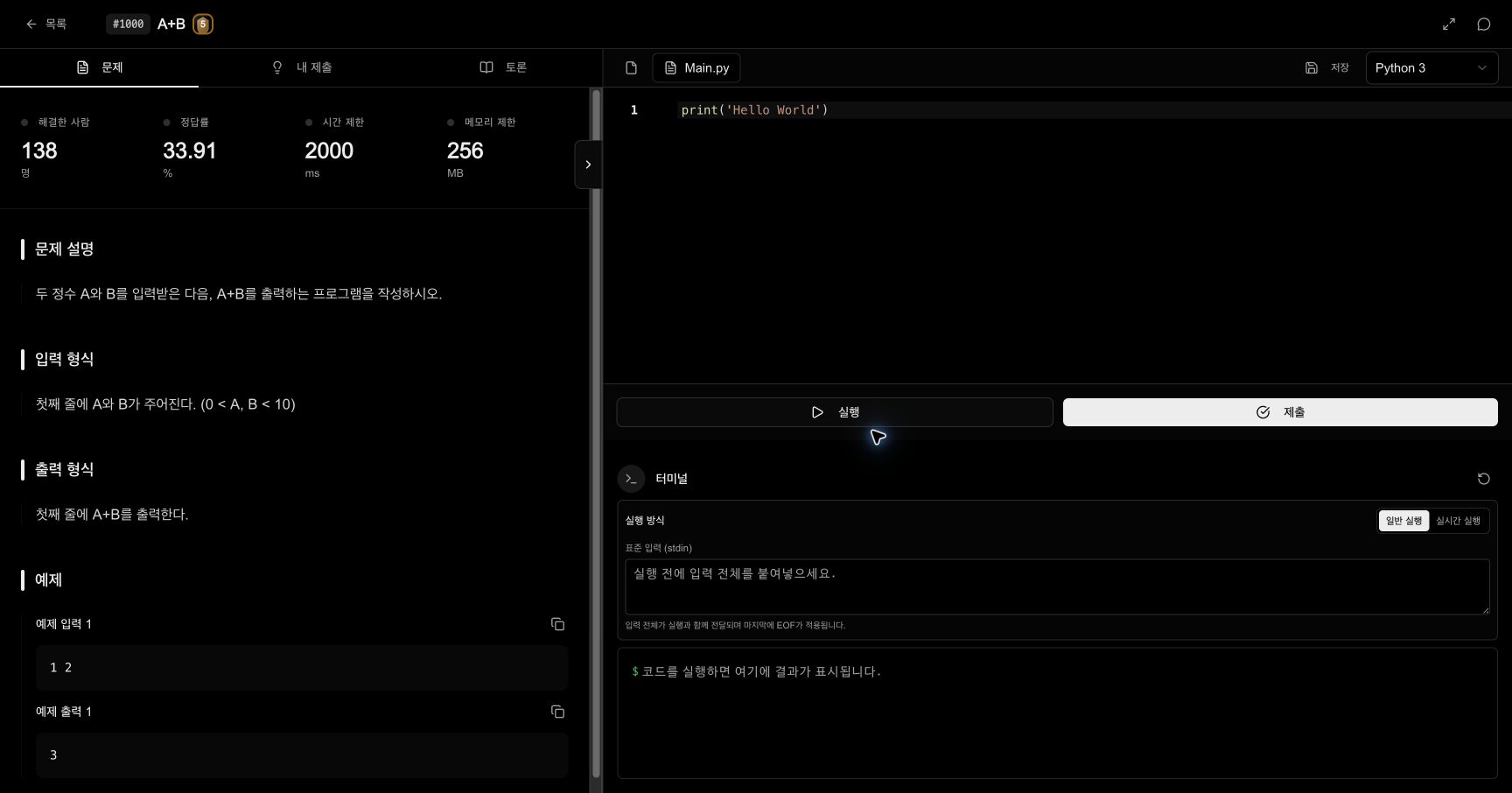
Read the description, input, output, and examples in that order. Also check the solved count, acceptance rate, time limit, and memory limit at the top.
5. Check the language and file
Confirm the current file and runtime above the editor. For Python 3 on problem 1000, the editor opens Main.py. Changing the language can also change the default file and runtime.
6. Provide standard input
With Normal Run selected, paste all input into the standard input (stdin) field. For A+B, enter 1 2. Reporch sends EOF after the final line.
7. Run and compare output
Select Run once and compare the terminal output character by character with the example output. A run tests the current code but does not create a judged submission.
8. Submit and review the record
After examples and your own cases pass, select Submit once. Open My Submissions and wait for the processing state to become a final result before changing or resubmitting the same code.
Run, submit, and history
- Run tests the current code against the input you provide. It does not produce an accepted or rejected record.
- Submit sends the current language and source to the judge and creates a unique submission record.
- My Submissions shows the submission ID, language, result, run time, memory, and submitted time.
Expected result
- Reopening the problem URL shows the same statement.
- A run produces terminal output that corresponds to your input.
- A submission appears in My Submissions and eventually reaches a final state.
Troubleshooting
- No search results: Clear the query and reset category, tag, tier, status, and sorting filters.
- No run output: Check whether the problem requires stdin and wait for the current run to finish.
- You were signed out: Sign in again, then check for an existing record before resubmitting.
- Submission remains processing: Do not click Submit repeatedly. Refresh the list and follow the existing submission ID.