Reporch
Plans and billing
Compare Free and Pro, choose a billing period, register a card, and verify subscription state.
Overview
The pricing page at reporch.com/pricing/ compares personal and business plans with monthly and annual billing. Prices, discounts, and included features can change; use the quote shown immediately before payment as the final source of truth.
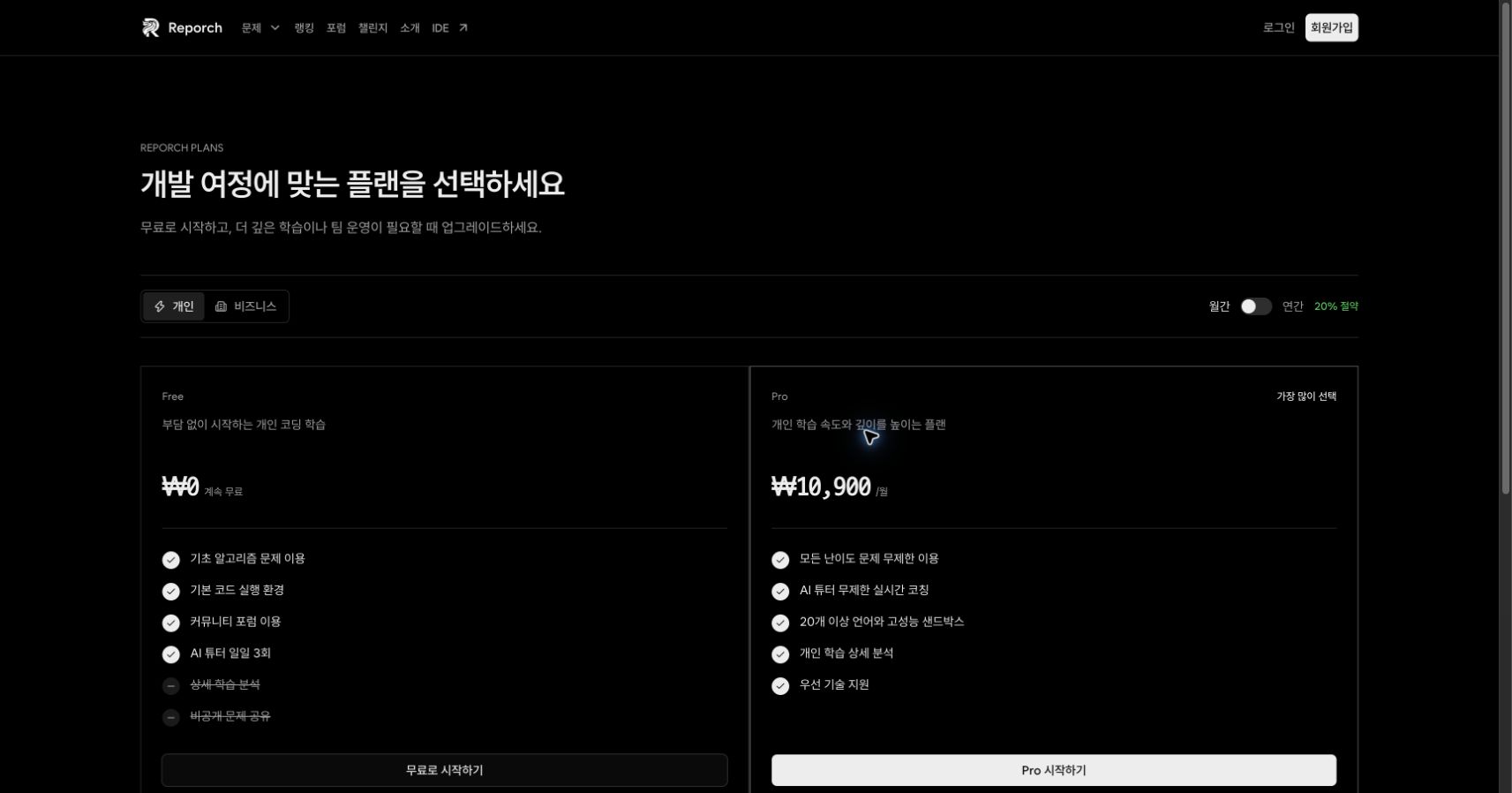
What to review
- Personal / Business: Plan group matching how the account will be used
- Monthly / Annual: Billing period and any annual savings shown on the page
- Free: Feature set shown as continually free
- Pro: Expanded features shown for problem access, AI Tutor, runtimes, sandboxes, analytics, and more
- Final quote: Supply amount, VAT, and total charge on the payment screen
Before you start
- Sign in to the account that should receive Pro access.
- Decide between Personal or Business and Monthly or Annual billing.
- Use a browser environment where you can finish card authentication and review the result.
Steps
1. Sign in to the account to upgrade
Use the Reporch account that should receive Pro access. Paying from a different account will not unlock the current one.
2. Choose pricing conditions
Select Personal or Business and Monthly or Annual. Review the included features and displayed amount.
3. Select Start Pro
Select Start Pro for the desired option. On the payment screen, check the Pro plan, supply amount, VAT, and total again.
4. Register a card
The card registration action opens Reporch's hosted authentication flow. Confirm the browser destination and displayed amount, then complete card authentication.
5. Verify the subscription
Return to Reporch and check the success or failure notice. Open reporch.com/payment/manage/ to review the registered payment method and subscription status.
Expected result
- The billing management page lists the registered payment method and subscription state.
- The account used for payment can access the selected Pro features.
- Billing terms and total match the final quote reviewed before payment.
Manage billing
The management screen can reload the customer key, registered billing keys, and subscriptions. Removing a payment method or canceling a subscription uses a confirmation dialog. Reload the list afterward to verify the resulting state.
Troubleshooting
- Price differs from expected: Recheck Personal or Business, Monthly or Annual, VAT, and any discount.
- Card authentication does not open: Check popup and redirect blocking and verify that the flow was initiated from Reporch.
- Pro is missing after payment: Confirm the account, card registration outcome, and active state on the subscription management page.
- Billing state fails to load: Do not attempt another payment. Contact support with the time, username, and displayed error.