Reporch IDE
Create a workspace
Start a new DevBox with a name and the vanilla, react, next, or python template.
Overview
A workspace is an isolated DevBox containing project files and its runtime environment. The displayed name helps you recognize the project; the server manages it with a separate workspace ID.
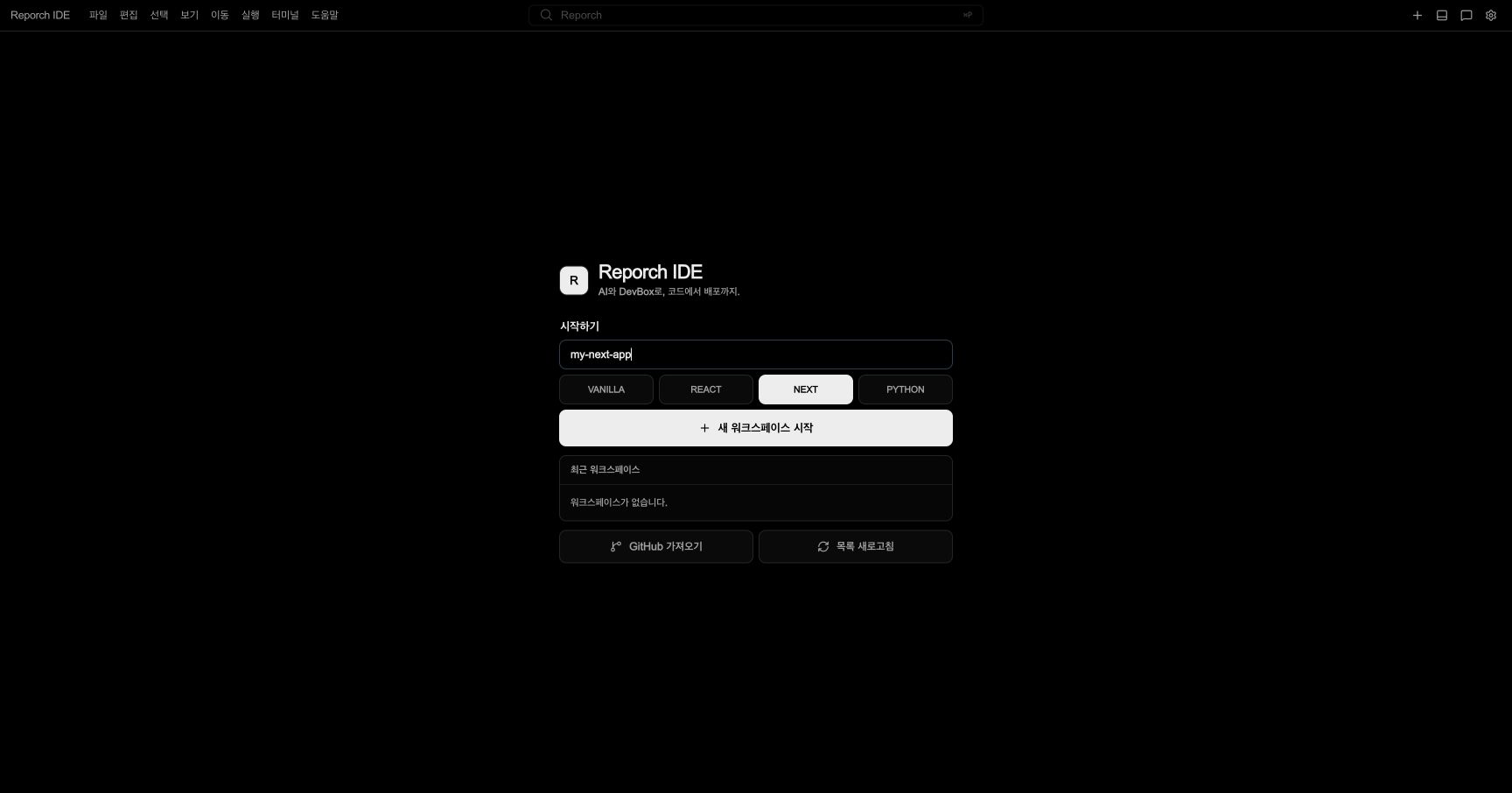
Choose a template
vanilla: Small HTML, CSS, and JavaScript projectsreact: React-based client applicationsnext: Next.js projects that need a development serverpython: Python scripts or server projects
The template determines starter files and the initial runtime. You can install another framework later, but a matching template reduces setup work.
Before you start
- Sign in to Reporch IDE and refresh Recent Workspaces.
- Choose a recognizable name and a template matching the project.
- If code already exists on GitHub, use repository import instead of a blank template.
Steps
1. Enter a name
Use a recognizable project or service name in Workspace Name so you can distinguish it in the recent list.
2. Select a template
Choose one of the four templates. The active choice is visibly selected.
3. Send one creation request
Select Start New Workspace once. Do not close the page or send the same request while progress is displayed.
4. Check Recent Workspaces
Confirm that the new item appears and wait while its runtime state changes from preparing to an available state.
5. Connect
Select the item from the recent list. Confirm that the IDE shell opens and Explorer displays the template files.
6. Verify the starter project
Open the terminal, check the current path and files, then use the template's documented run command. Read package.json, README, or the entry file first.
Expected result
- The name and runtime state appear in Recent Workspaces.
- Initial files open from Explorer.
- A terminal prompt appears and a file listing command succeeds.
- A web template exposes a Preview URL after its development server starts.
Troubleshooting
- Start does nothing: Check that the name is not empty and no request is already in progress.
- Duplicate names appear: Use creation time and workspace ID, not the display name alone.
- Failed item remains: Refresh or try connecting to it before sending another creation request.
- Unexpected template files: Check which template button was actually selected and inspect the generated project configuration.