Reporch IDE
Get started with Reporch IDE
Create a workspace from a template, then move through the editor, terminal, preview, and deployment workflow.
Overview
Reporch IDE is a browser development environment that combines DevBox workspaces, file editing, terminals, web and file previews, GitHub Source Control, and deployments. Its shell follows a desktop IDE layout: top menus, Activity Bar and Explorer on the left, editor in the center, terminal below, and AI Agent on the right.
Before you start
- A signed-in Reporch account
- A current desktop Chrome, Edge, Safari, or Firefox
- A stable connection for DevBox creation and package installation
- The intended language or framework, or an existing GitHub repository
Steps
1. Open the IDE
Go to ide.reporch.com. If authentication is required, sign in to Reporch and return to the IDE host.
2. Choose how to start
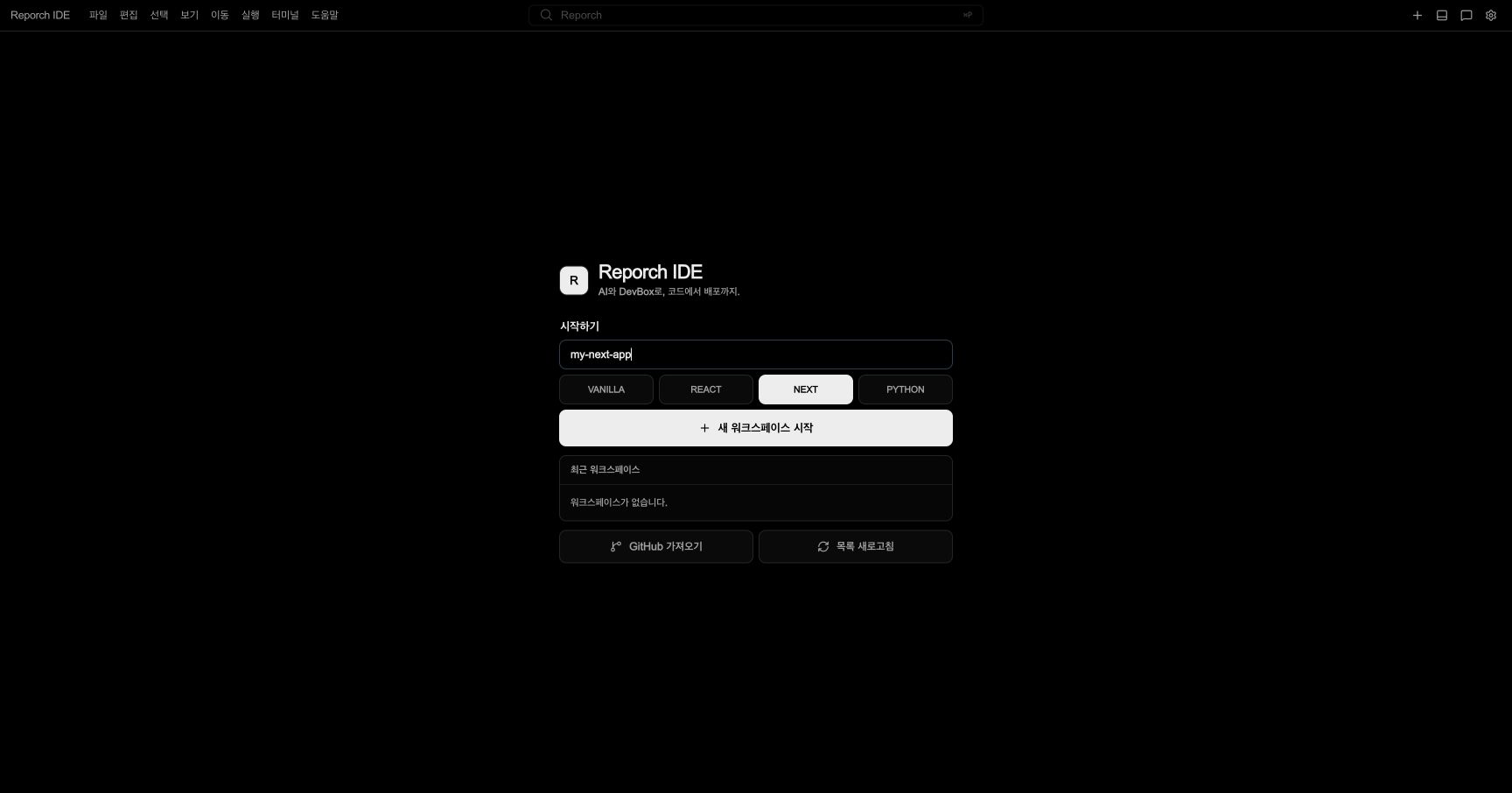
For a new project, enter a workspace name and select vanilla, react, next, or python. For existing code, choose Import from GitHub.
3. Wait for creation or connection
Select Start New Workspace once. Do not repeat the request. Wait for the recent workspace runtime to reach its ready state.
4. Check Explorer
After connection, verify that template files appear in Explorer on the left. Selecting a file opens it as a central editor tab.
5. Check the terminal
Use Terminal → Focus Terminal or open the panel. Wait for connecting or preparing indicators to finish and for a prompt to appear.
6. Run the project
Run the template's package script or Python command. When a web server opens a port, the IDE detects it and exposes a Preview URL.
Common areas
- File: Save and manage files and tabs
- View: Toggle Explorer, Search, Source Control, AI Agent, and panels
- Run: Run the selected project or command
- Terminal: Focus terminal, create one, or toggle the panel with
Cmd/Ctrl+J - Command Center: Search files, symbols, text, and commands
- Workspace settings: Manage environment variables and deployment-related settings
Connection states
- Preparing: The DevBox is being created or started.
- Connecting: The browser is connecting to file and terminal channels.
- Ready: Explorer and the terminal are available.
- Stopped: The existing workspace may need to be started again.
Expected result
- Recent Workspaces shows the runtime as ready.
- You can open and save template files from Explorer.
- A terminal prompt appears, and a web template exposes a Preview URL after its server starts.
Troubleshooting
- Recent list is empty: Select Refresh List and verify the signed-in account.
- Preparing persists: Reopen the existing item instead of creating another.
- Only Explorer is empty: Confirm runtime and terminal readiness, then refresh Explorer.
- Terminal connection error: Check the workspace runtime state before repeatedly closing and reopening the panel.